PlaneLens Join the beta
PlaneLens

What's flying over you, on a flight board.

  • iPhone
  • Widgets
  • Siri

Hear a jet, look at your phone. PlaneLens shows the airline, flight number, route, aircraft and altitude of the planes above you, lit up dot by dot on a flight wall. Turn your phone sideways and the whole screen becomes the wall.

Join the beta onTestFlight

Free beta on TestFlight
No account · no ads · no tracking

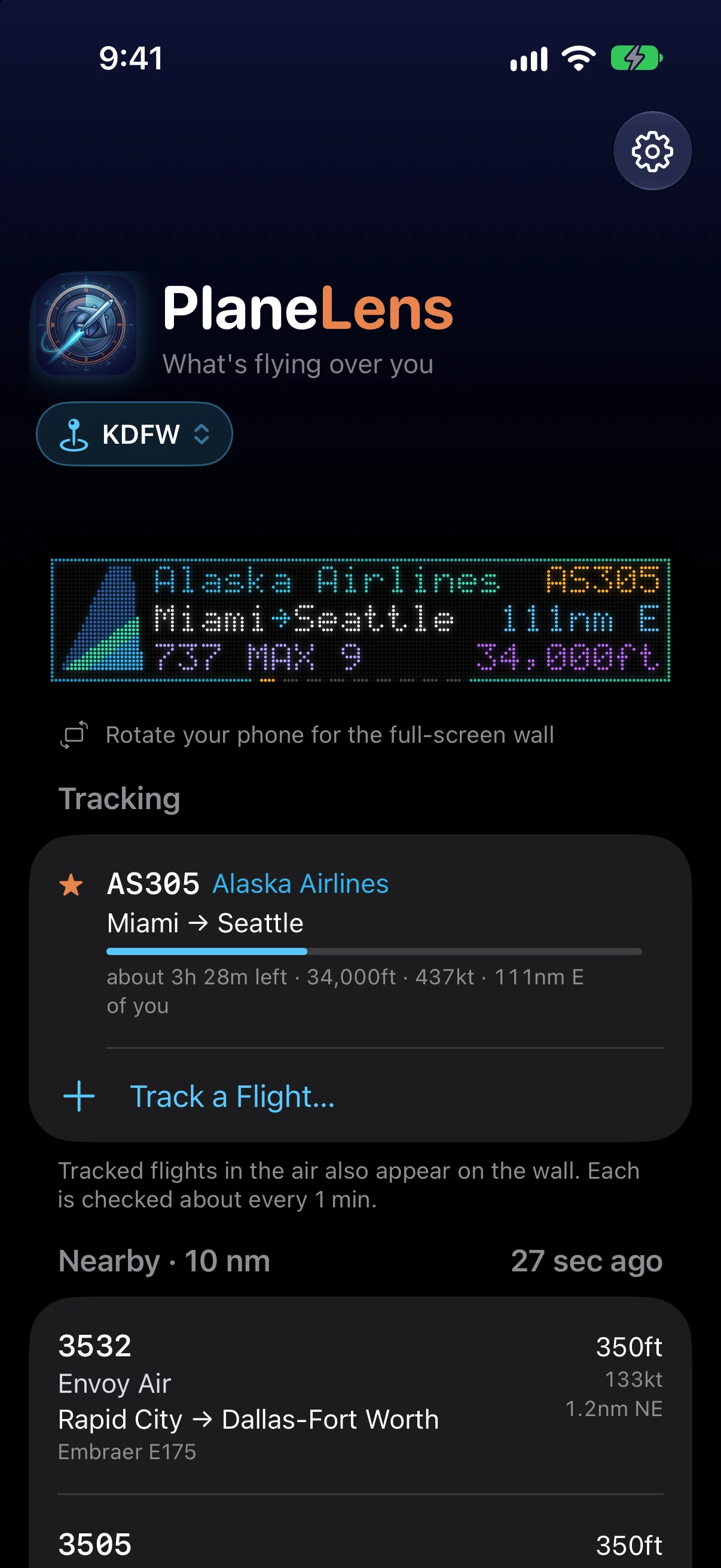
PlaneLens main screen: the flight wall showing Alaska Airlines AS305 from Miami to Seattle at 34,000 ft, a tracked flight with its route progress, and nearby aircraft
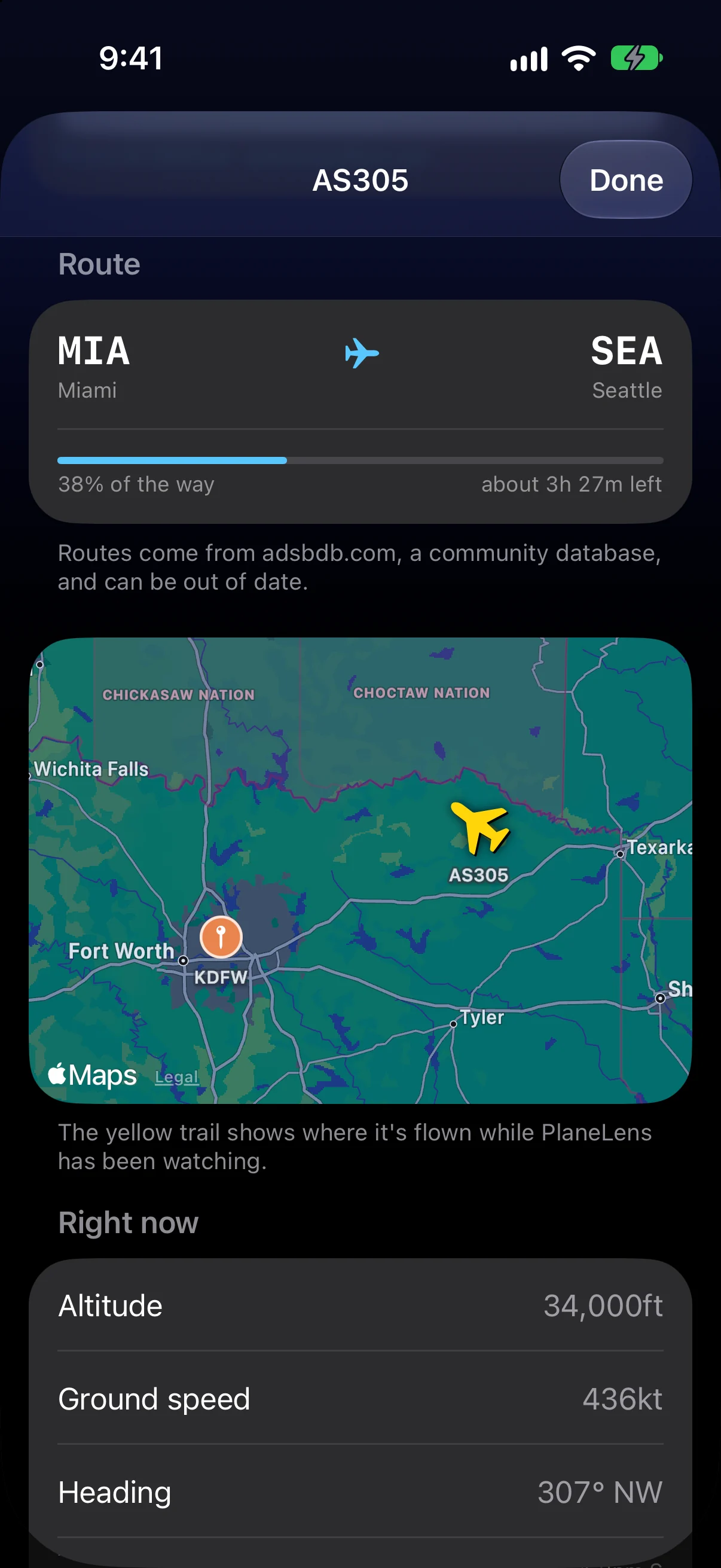
Flight details for AS305: Miami to Seattle, 38% of the way, about 3 hours 27 minutes left, with a map of the plane near Dallas
Classic 5×7 dot font Vivid · Monochromatic · Rainbow Live ADS-B positions Track up to 5 flights Widgets · StandBy · Siri No account · no ads

How it works

From a sound overhead to the whole story

  1. Open PlaneLens

    It uses your location, or a place you choose: home, the office, your favorite spot by the runway.

  2. Look at the wall

    Nearby flights cycle on the wall: airline, flight number, route, aircraft, altitude and which way to look.

  3. Tap a flight

    See a photo of the actual aircraft, how far along its route it is, and a map with its trail.

  4. Make it yours

    Pick a style, track your own flights, add widgets, and let night mode dim the wall at sunset.

The wall

Turn your phone sideways. It's a flight wall.

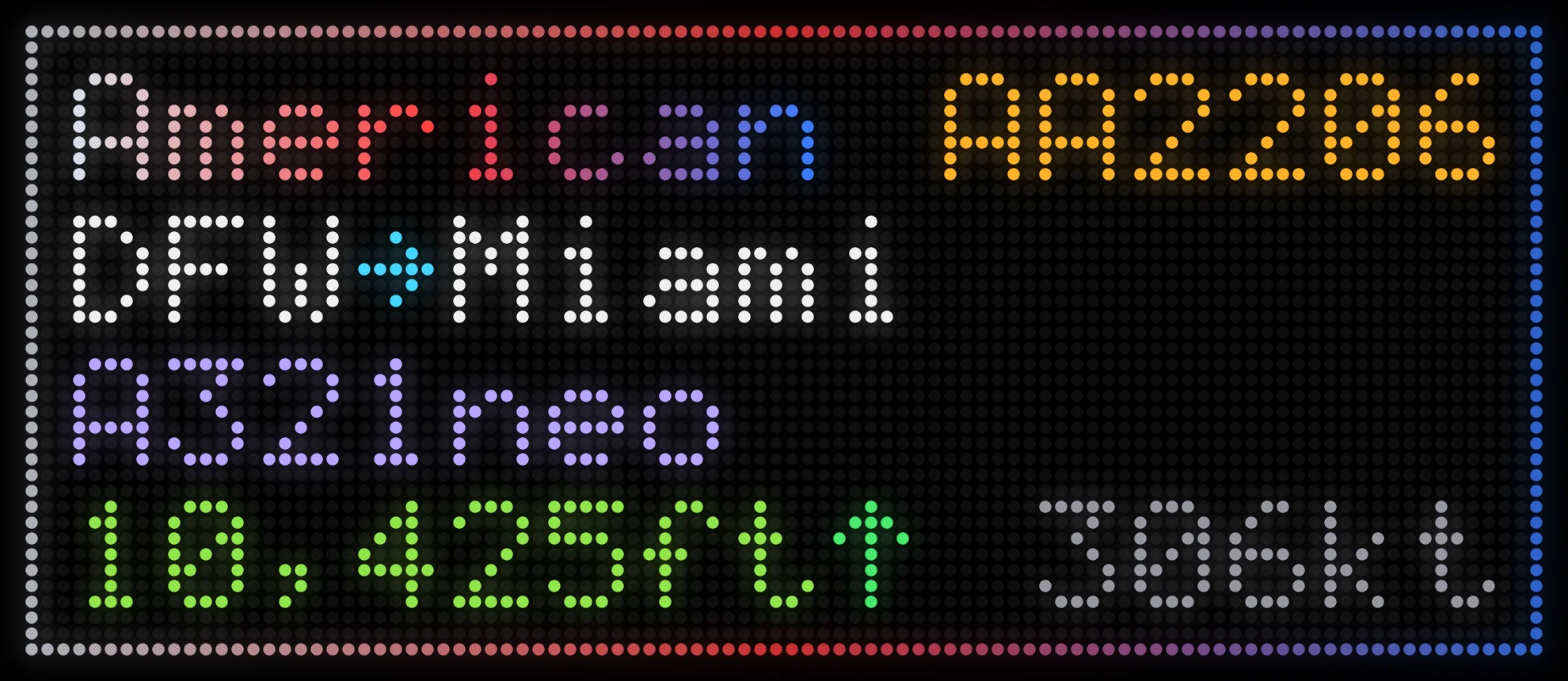
A Widescreen or Mini panel, drawn dot by dot in the same 5×7 font as the open-source FlightWall. Long names and routes scroll across like a real sign, and it keeps the screen awake so it can sit on a shelf by the window.

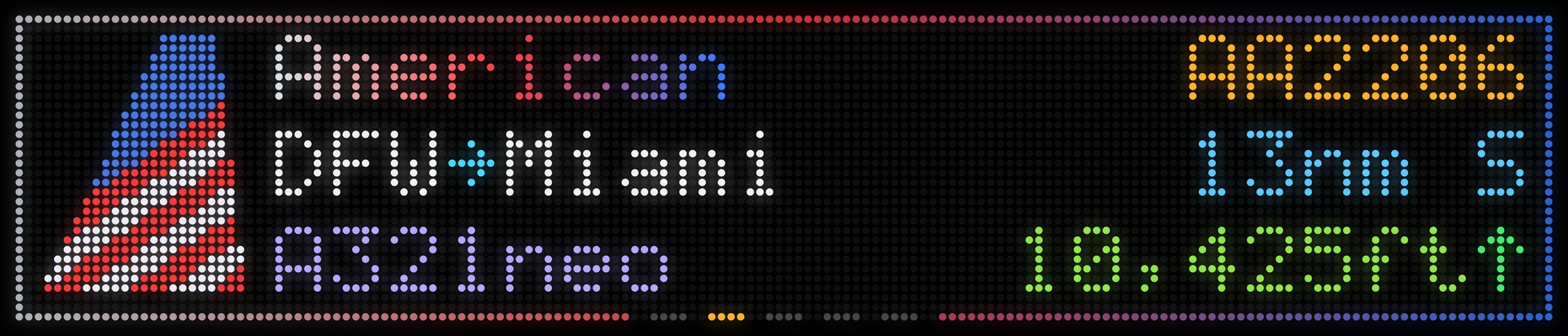
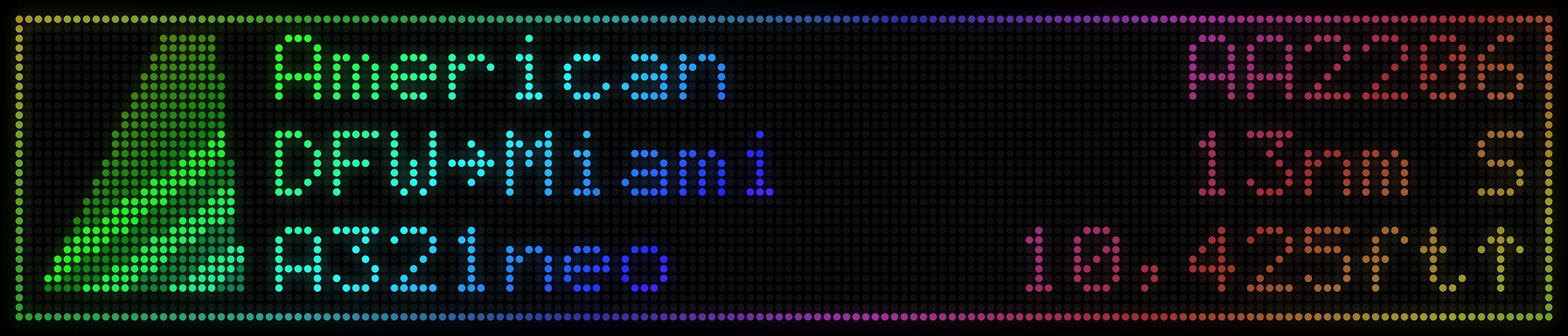
The flight wall in Vivid style: American AA2206, DFW to Miami, A321neo, climbing through 10,425 ft, 13 nautical miles south, with American's tail fin in red, white and blue
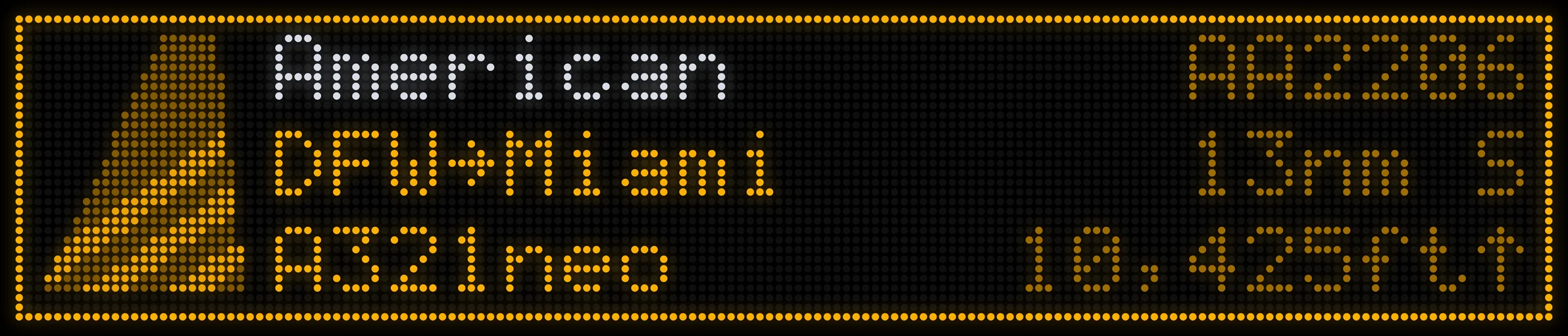
The same flight in Monochromatic style, all in amber
Monochromatic · white, amber, green, cyan or red
The same flight in Rainbow style, a hue sweep across the panel
Rainbow · a slow hue sweep across the panel
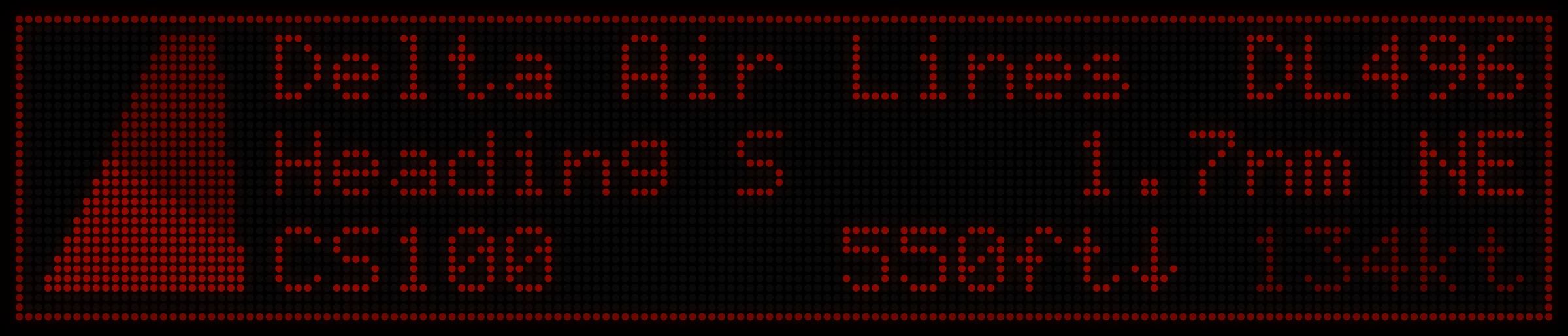
The wall in red night mode: Delta DL496, dim red LEDs
Night mode · dim or red, sunset to sunrise

Features

Everything about the plane you just heard

Live positions from a community network of ADS-B receivers, checked and filled in so what you see matches what's really up there.

Flight details for AS305: route Miami to Seattle with a progress bar, the time left, and a map that follows the plane

Flight details

Tap any flight for the whole story

A photo of the actual aircraft, credited to the photographer. The route with how far along it is and about how long until it lands. A map that follows the plane and draws a yellow trail behind it while you watch.

  • Altitude with climb or descent, ground speed, heading and distance from you
  • Hold a flight on the wall, or track it for later
  • Open it in Flightradar24 or FlightAware in one tap
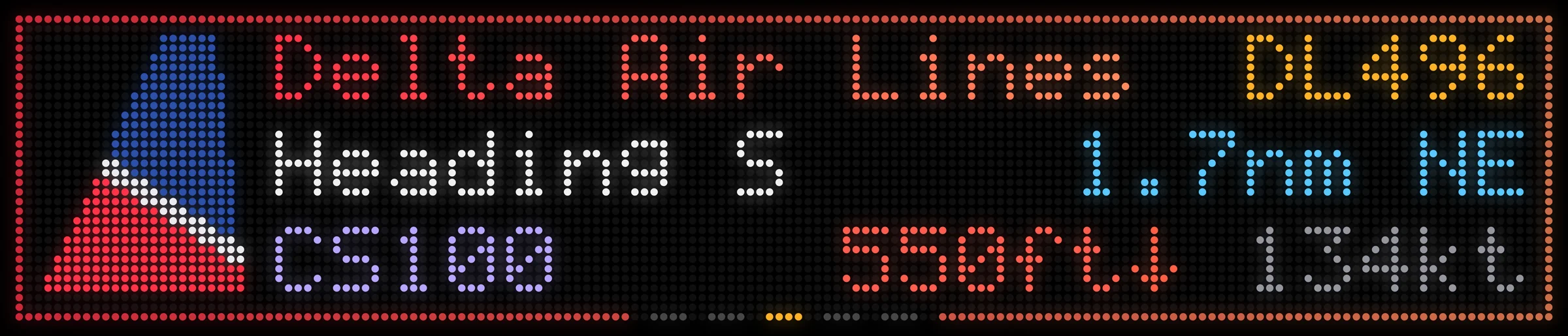
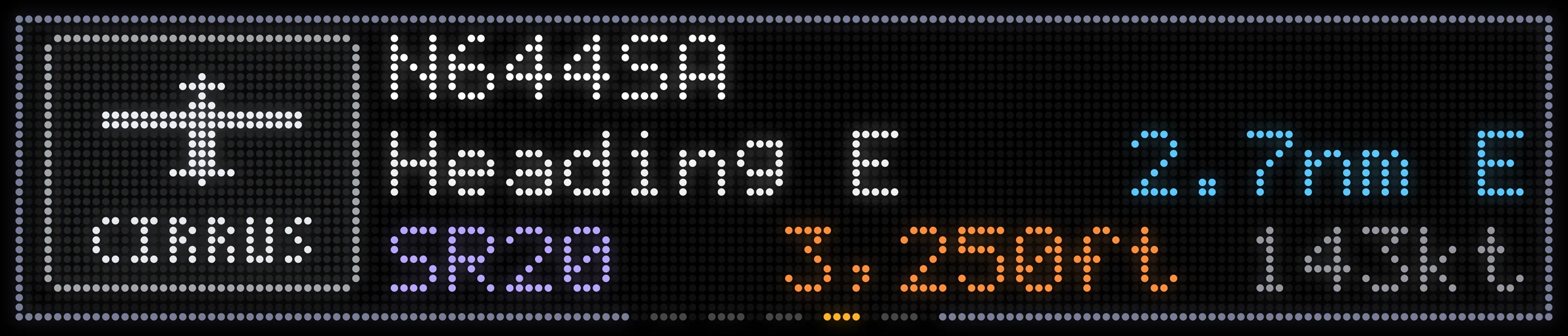
Delta Air Lines DL496 on the wall with a navy-over-red tail fin A Cirrus SR20 on the wall with a CIRRUS maker badge and a small-plane silhouette

Tail fins and badges

Every airline in its own colors

Airline names glow in their brand colors next to a pixel tail fin in the airline's livery. Private planes and helicopters get a maker badge instead: Cessna, Piper, Cirrus, Beechcraft, Robinson and more, with a silhouette of the aircraft.

  • Altitude color-coded from the ground to cruise
  • Green and red arrows for climbing and descending
  • Turn them off for the plain look
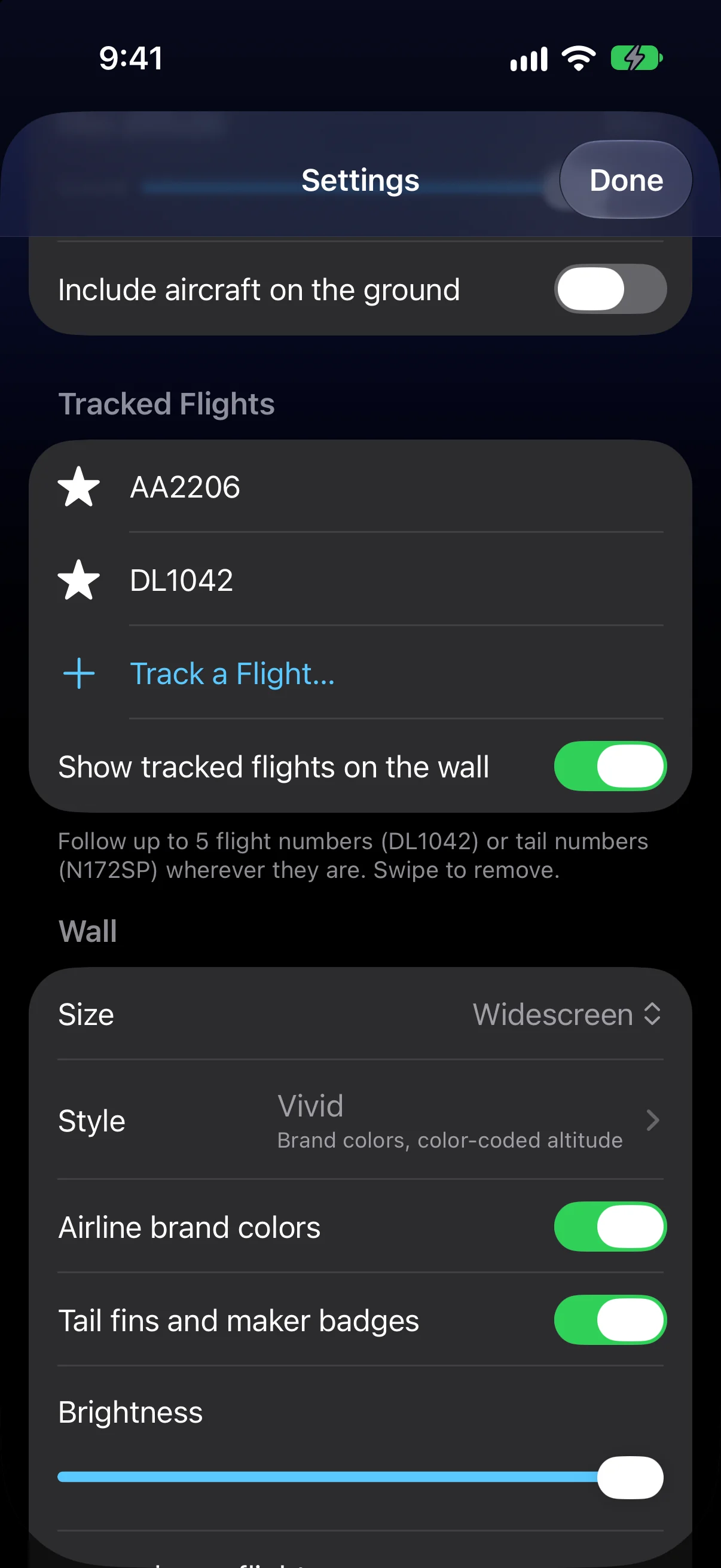
Tracked Flights in Settings: AA2206 and DL1042, Track a Flight, and Show tracked flights on the wall

Tracking

Follow your flights, wherever they are

Track up to five flight numbers or tail numbers, like DL1042 or N172SP. PlaneLens shows each one's route, progress, altitude and about how long until it lands, or tells you it isn't flying yet. Tracked flights in the air join the wall too.

  • Picking up someone at the airport? Watch their flight come in
  • Follow a friend's plane, or your own
  • Pull down to check them all at once
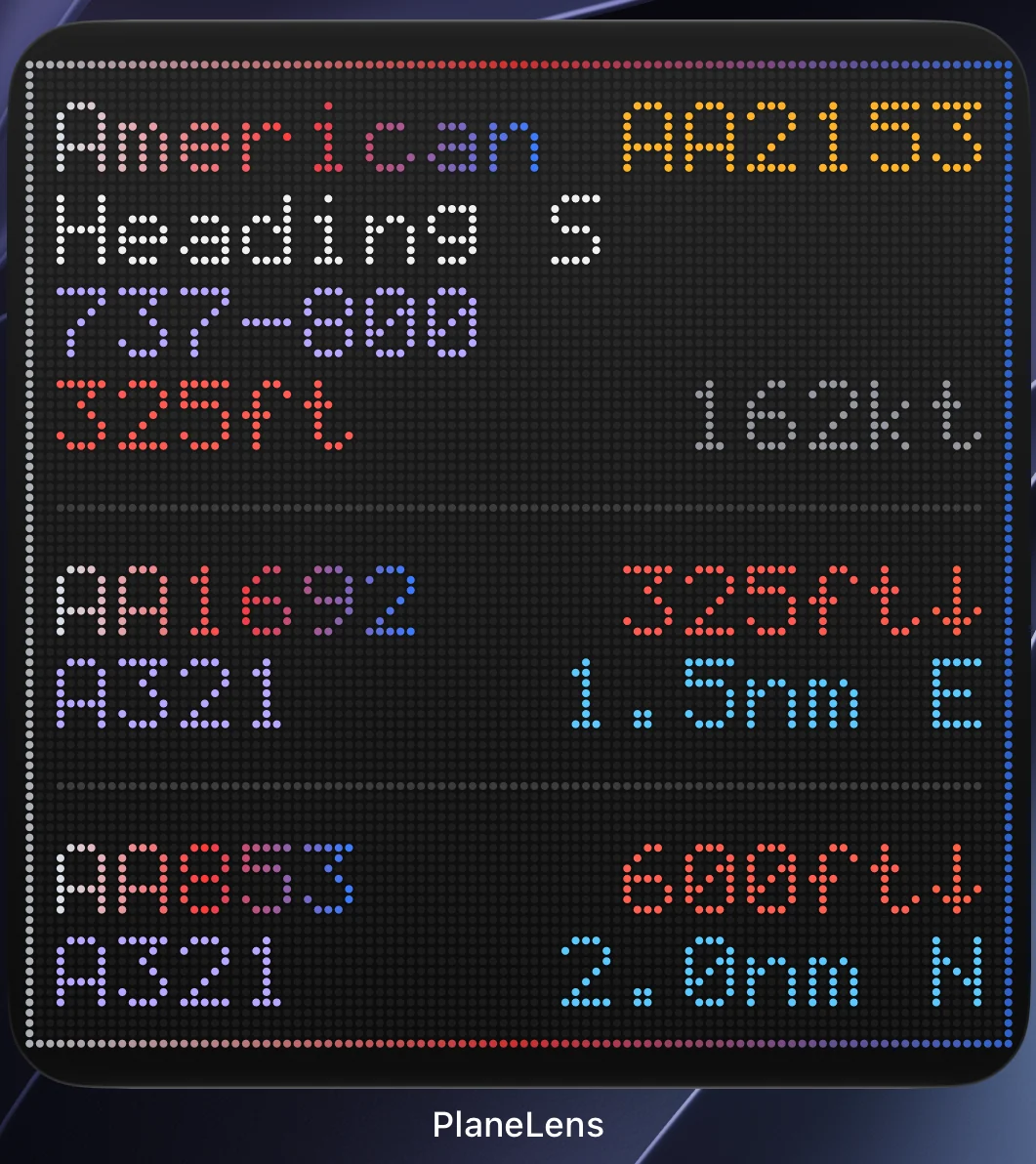
A large PlaneLens widget on the Home Screen: American AA2153 in full, then AA1692 and AA853

Widgets

The sky on your Home Screen

Small, Medium and Large widgets, plus Lock Screen widgets with the nearest flight. Between refreshes the planes keep moving along their paths minute by minute, and a tap brings in fresh data.

  • Put the small one in StandBy for a bedside flight board
  • Follows your style and night mode
  • Open the app and the widgets catch up too
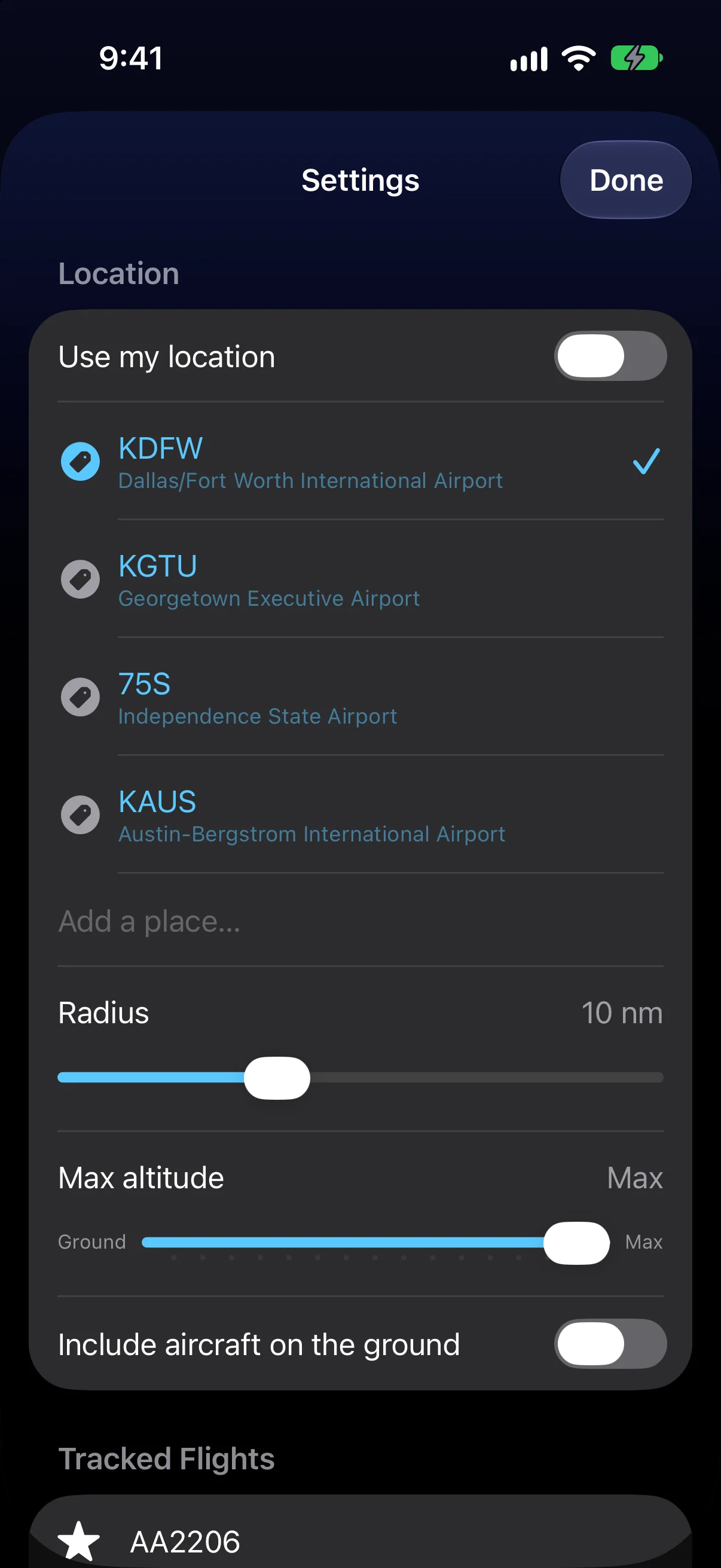
Location settings: saved places KDFW, KGTU, 75S and KAUS, the search radius and the Max altitude slider

Places

Your sky, your places

Use your location, or search any city, address or airport. Your last ten places stay one tap away, each with a short label like Home or KAUS. Set how far to look and how high, from the ground up.

  • Switch places from the chip under the logo
  • Feet or meters, knots, mph or km/h, nautical miles or kilometers
  • Include or hide aircraft on the ground
The card Siri shows: American AA2206, DFW to Miami, A321neo, 10,425 ft climbing, 306 kt

Siri and Shortcuts

Just ask what's up there

Ask Siri and hear the nearest flight, with the flight card on screen. Ask where a tracked flight is, or add a new one, hands-free. Every action is in the Shortcuts app too.

“What's flying over me in PlaneLens?”
“Where's DL1042 in PlaneLens?”

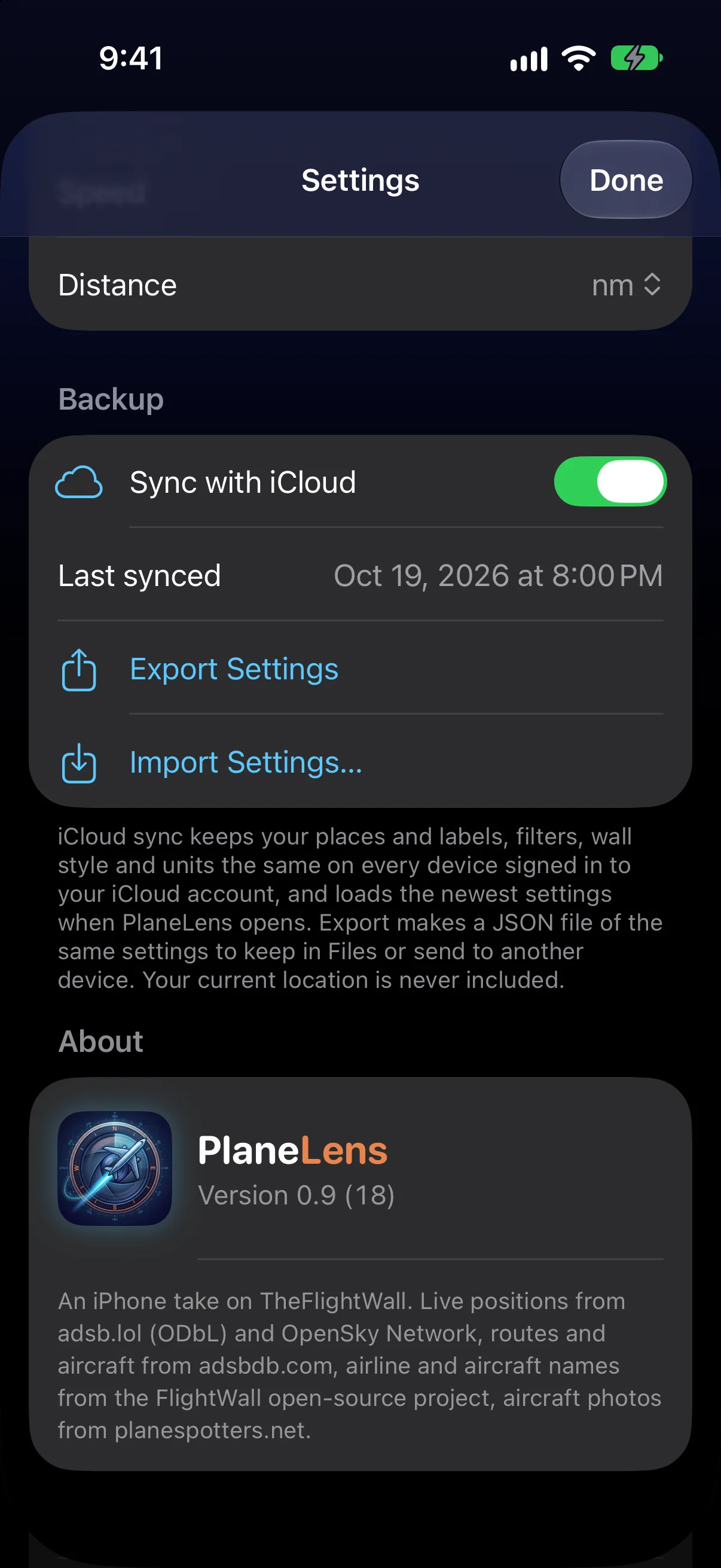
Backup settings: Sync with iCloud on, last synced time, Export Settings and Import Settings

Sync and backup

The same sky on every device

Turn on iCloud sync and your places, labels, tracked flights, filters and style follow you to your other iPhone and iPad. Or export your settings as a file to keep or share.

  • A new install picks up your settings automatically
  • Asks before replacing anything
  • Your location is never included

Why people love it

A window on the sky you already have

Curiosity, answered

Where's that one going? What is it? How high? Look down and you know, before it's out of sight.

A conversation piece

Prop your phone or an old iPad on a shelf and it becomes the flight wall everyone asks about.

Checked, not just shown

Routes are matched against where the plane really is, and aircraft database mix-ups are caught, so a trainer doesn't show up as an airliner.

For spotters and pilots

Registrations, type codes, size classes, maker badges and real photos. Plenty for people who already know their A321neo from their 737 MAX.

Easy on the eyes at night

Night mode dims the wall or turns it red from sunset to sunrise, so it can stay on in the bedroom.

Private by default

No account, no ads, no tracking. Your location is rounded to about a kilometer before it's used to find nearby planes.

The beta

Free while it's in beta

PlaneLens is in beta on TestFlight. Join, use everything, and tell us what you'd change. Feedback from beta testers shapes what comes next.

Freeduring the beta
  • The flight wall in three styles, Widescreen or Mini
  • Flight details with photos, routes and maps
  • Track up to 5 flights
  • Home Screen, Lock Screen and StandBy widgets
  • Siri, Shortcuts and iCloud sync
  • No account, no ads, no tracking
Join the beta onTestFlight

Questions

Before you look up

How do I join the beta?

Install Apple's free TestFlight app from the App Store, then open the PlaneLens beta link on your iPhone and tap Accept and Install. The beta is free; send feedback from TestFlight or to support@planelens.app.

Why don't I see any planes?

PlaneLens shows aircraft that broadcast ADS-B and are heard by a volunteer receiver near you. Coverage is best near cities and airports. Try a bigger radius or a higher max altitude, or search for a busy airport to see it working.

Where does the data come from?

Live positions from adsb.lol (with OpenSky Network as a backup), routes from adsbdb.com, aircraft photos from planespotters.net, and airline and aircraft names from the FlightWall open-source project. Routes are crowd-sourced, so some may be missing or out of date.

What does “Data limit reached” mean?

The free flight data services limit how often each internet connection can ask. When that happens PlaneLens waits quietly and shows the time flights come back; switching to cellular or another Wi-Fi network gets a fresh limit. See the support page for details.

Which flights can I track?

Up to five flight numbers (DL1042, WN3484) or tail numbers (N172SP). PlaneLens finds them anywhere they're being received, and tells you when one isn't flying.

Do I have to share my location?

No. Turn off Use my location in Settings and search for a city, address or airport instead. Either way, only a point rounded to about a kilometer is sent to find nearby aircraft.

Why isn't my widget up to date?

iOS decides how often widgets refresh. Between refreshes PlaneLens moves the planes along their paths minute by minute; tap the widget for fresh data, or open the app and the widgets catch up.

How do I get help?

See the support page or email support@planelens.app. A real person reads every message.
For fun, not for navigation. PlaneLens shows what volunteer receivers hear and what community databases say, so some flights may be missing, late or wrong. Don't use it for navigation or flight safety.

Look up. Then look down.

Join the beta onTestFlight

Free while in beta. Join on TestFlight and tell us what you think.

Credits